• Nairobi(+254782337270) .Kisii (+254736413386) .Mombasa(+254752413386)
  • Kampala (+256747048222)
How ROBIPOS Systems Simplify Sales and Inventory Management in 2026
  • Home
  • About
    • About Us
    • Branches
      • Nairobi Branch
      • Kisii Branch
      • Mombasa Branch
      • Kampala Branch
    • STOP AJALI
    • Career
  • Our Clients
  • Services
    • eTIMS Compliant Pos in kenya
    • Point of sale software
    • Web Design and Development
    • Bulk SMS & Bulk WhatsApp
    • Robisearch Erp
      • Robisearch ERP Features
      • Robisearch ERP
    • Property Management System
    • Biometric Time – Attendance
    • RobiDigiVisitor visitor management system
    • Customer Feedback Platform
    • Digital Marketing
    • Digital Visitors Book
    • CCtv Installation & Maintenance
    • Pricing
    • Our Works
  • Community
    • Awards
    • Digital Space
    • Media
    • Partners & Resellers
    • CSR
    • Events
    • Gallery
  • Blog
  • Contact
  • Quotation
  • Home
  • About
    • About Us
    • Branches
      • Nairobi Branch
      • Kisii Branch
      • Mombasa Branch
      • Kampala Branch
    • STOP AJALI
    • Career
  • Our Clients
  • Services
    • eTIMS Compliant Pos in kenya
    • Point of sale software
    • Web Design and Development
    • Bulk SMS & Bulk WhatsApp
    • Robisearch Erp
      • Robisearch ERP Features
      • Robisearch ERP
    • Property Management System
    • Biometric Time – Attendance
    • RobiDigiVisitor visitor management system
    • Customer Feedback Platform
    • Digital Marketing
    • Digital Visitors Book
    • CCtv Installation & Maintenance
    • Pricing
    • Our Works
  • Community
    • Awards
    • Digital Space
    • Media
    • Partners & Resellers
    • CSR
    • Events
    • Gallery
  • Blog
  • Contact
  • Quotation

  • Robisearch
  • Best POS in Kenya (East Africa), BEST POS IN NAIROBI, Sales Analysis
  • January 5, 2026

How ROBIPOS Systems Simplify Sales and Inventory Management in 2026

In 2026, the traditional cash register is no longer just a place to store money—it’s the “central nervous system” of a thriving business. As retail and hospitality landscapes become more competitive, business owners are moving away from manual spreadsheets and toward intelligent automation.

If you’ve ever felt the frustration of a customer asking for an item that should be in the back but isn’t, or spent your Sunday night squinting at sales receipts to figure out your profit, this guide is for you. Here is how modern POS systems like ROBIPOS are simplifying sales and inventory management this year. view: https://youtu.be/1XNXdfudaKY?si=HJ7euCyLYvzFc4xZ

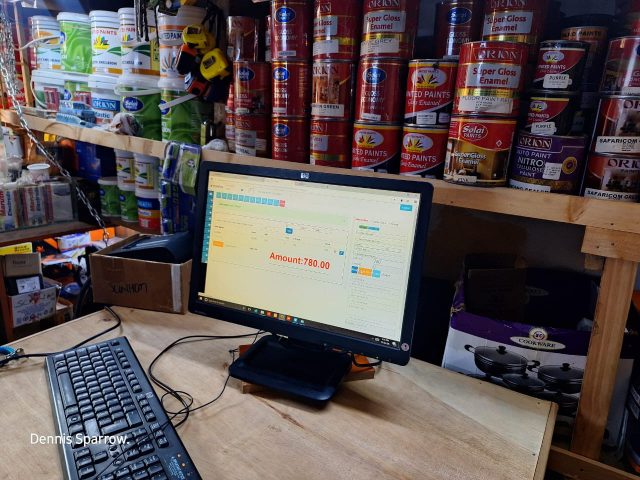
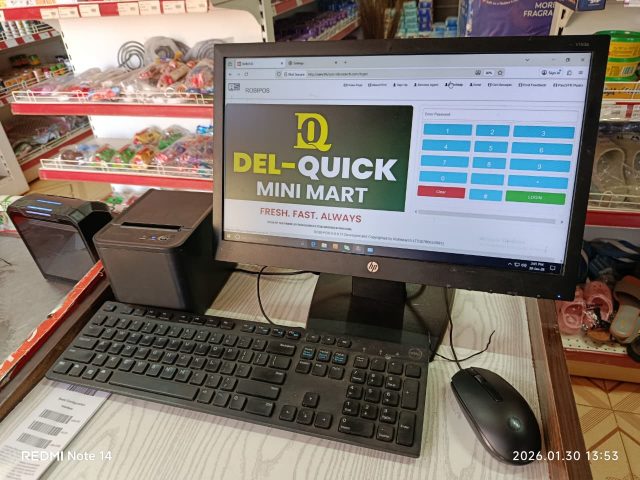
 selling with robipos

a cashier selling with Robipos


1. Real-Time Stock Tracking: The End of Guesswork

Gone are the days of the “end-of-month” stock take. In 2026, inventory management happens in seconds, not hours.

  • Instant Updates: Every time a barcode is scanned at the checkout, your inventory levels update across all platforms—including your physical store and online shop.

  • Multi-Location Sync: If you run multiple branches, a modern POS allows you to see stock levels at Branch A while standing in Branch B. This allows for quick stock transfers instead of losing a sale.

  • Mobile Visibility: Cloud-based systems mean you can check your stock levels from your smartphone while at home or traveling.

Why it matters: Real-time data ensures you never over-promise to a customer, building trust and reliability for your brand. learn more: https://robisearch.com/pos-4-pos-point-of-sale/

sales tracking

2. Smart Sales Reporting for Better Decisions

Data is the new currency. Modern POS systems don’t just record sales; they analyze them to tell you the “story” of your business. view; https://youtu.be/1XNXdfudaKY?si=HJ7euCyLYvzFc4xZ

  • Identify Bestsellers: Automated reports highlight which items are flying off the shelves and which are gathering dust.

  • Staff Performance: Track which team members are hitting targets and which might need more training.

  • Seasonal Trends: Use historical data to predict which products will be in high demand next month, allowing you to prepare your budget and floor space accordingly.

Pro Tip: Look for a system that provides “Date Range” reporting so you can compare this year’s holiday performance directly against last year’s.

real-time data analytics

get to understand your business trends anytime

3. Preventing Stockouts with Automated Alerts

There is nothing more expensive than a “Stockout”—the moment a customer is ready to buy, but you have nothing to sell.

  • Low-Stock Notifications: Set “threshold” levels for your products. When you reach a minimum quantity (e.g., only 5 units left), the system sends an automatic alert to your phone or email.

  • Automated Reordering: Sophisticated systems can generate Local Purchase Orders (LPOs) automatically, sending them to your suppliers before the shelf is empty.

  • Expiry Tracking: For businesses selling perishables, modern POS systems track “Best Before” dates, alerting you to sell items before they become a loss.learn more: https://robisearch.com/pos-4-pos-point-of-sale/

inventory management

inventory management is a very crucial feature in robipos


How to Implement a Modern POS Strategy

Transitioning to a high-tech system doesn’t have to be overwhelming. Follow these steps to simplify your operations:

sales and stock management software

sales and stock management software

Step 1: Centralize Your Operations

Ensure your POS handles more than just payments. Choose a solution like ROBIPOS that integrates accounting, M-Pesa payments, and KRA eTIMS compliance into one dashboard. view: https://youtu.be/1XNXdfudaKY?si=HJ7euCyLYvzFc4xZ

Step 2: Automate the Mundane

Set up your low-stock alerts and automated daily sales emails. This frees up your time to focus on customer service and business growth rather than data entry.

Step 3: Monitor Remotely

Use the cloud to your advantage. A business owner in 2026 shouldn’t have to be physically present to know if the morning shift was successful. Remote access gives you the freedom to manage your empire from anywhere.


Why ROBIPOS is the Choice for 2026

robios

robipos handles all

Running a business in Kenya and beyond requires a system that is local yet world-class. ROBIPOS is designed to tackle the specific challenges of modern retailers, wholesalers, and service providers.

From real-time M-Pesa reconciliation to automated stock movement tracking between branches, ROBIPOS eliminates the “hidden leaks” where your profits disappear. Whether you run a pharmacy, a hardware store, or a busy restaurant, it provides the clarity you need to scale.

Stop Guessing. Start Growing.

Don’t let manual errors and stockouts hold your business back this year. Experience the power of a unified sales and inventory system firsthand. learn more: https://robisearch.com/pos-4-pos-point-of-sale/

[Request a Free Demo of ROBIPOS Today] and see how we can transform your operations.

Call/Whatsapp 0716413386. 0780655987

email robisearch@gmail.com

click here to get qoutatation: http://robisearch.com/quotation/

Read More
  • Robisearch
  • Security
  • December 19, 2025

How to Position Your CCTV to Eliminate Every Blind Spot

How to Position Your CCTV to Eliminate Every Blind Spot

A security camera is only as good as what it can actually see. Many people invest in high-end systems only to realize—too late—that an intruder managed to stay in the “shadows” of the camera’s view.

Eliminating blind spots isn’t about how many cameras you have; it’s about strategic geometry. Whether you are securing a home or a business, here is the universal guide to placing your cameras for maximum coverage. learn more https://robisearch.com/best-cctv-access-control-security-cameras-installation-and-maintenance/


1. The “Golden Height” (8 to 10 Feet)

The most common mistake is mounting cameras too high (like on a roofline) or too low.

  • The Problem: Too high, and you only see the tops of heads. Too low, and the camera can be easily covered or tampered with.

  • The Solution: Aim for 8 to 10 feet. This height is out of reach for most people but still provides a clear angle of the “identification triangle”—the eyes, nose, and mouth.

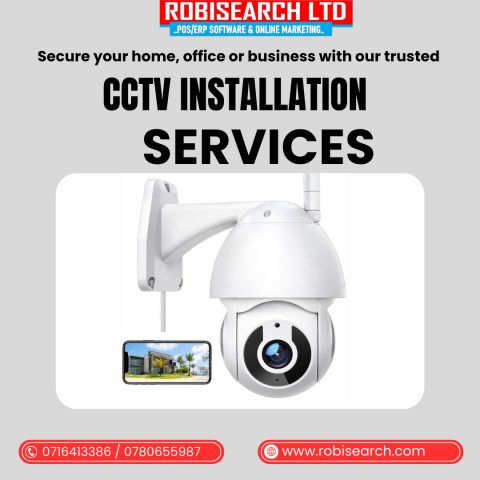
cctv installation poster

see rbisearch cctv installation

2. Outdoor Strategy: Corners and Perimeters

Outside, the goal is to stop a threat before it reaches the door.

  • The Corner-to-Corner Method: Avoid placing cameras in the middle of a flat wall. This creates “dead zones” to the immediate left and right. Instead, mount cameras on the corners.

  • Overlapping Fields: Point two cameras toward each other from opposite ends of a wall. This “cross-fire” ensures that Camera A covers the blind spot directly underneath Camera B.

  • Gate & Entry Points: Every entrance (front, back, or side) needs a dedicated camera. Position it so it captures the person before they reach the handle.

cctv installation poster

cctv installation

3. Indoor Strategy: The “Choke Point” Concept

You don’t need a camera in every single room. You just need to cover the areas where people must walk.

  • Hallways and Stairs: These are “choke points.” Anyone moving through a building has to use the hallways or stairs. A single camera at the end of a corridor eliminates dozens of blind spots in the rooms attached to it.

  • Corner Mounting: Just like outdoors, placing an indoor camera in a corner (rather than flat on a wall) gives you a 90-degree view of the entire room, leaving no place to hide in the shadows.https://youtu.be/hfgpBAayBNI?si=hV47rQSL9JXO_Akz

4. Overcoming “Environmental” Blind Spots

Sometimes, the building itself creates the blind spot. Watch out for these:

  • The Reflection Trap: If a camera is too close to a white wall or inside a window, the Infrared (Night Vision) will bounce back and “blind” the lens at night. Keep your lenses clear of nearby obstructions.

  • Growth and Decor: In a home, it’s a growing bush; in a business, it’s a new hanging sign or a tall shelf. Periodically check your “live view” to ensure your line of sight hasn’t been blocked by changes in the environment.

  • Sun Glare: Avoid pointing cameras directly East or West. The rising or setting sun can wash out the image entirely, creating a “white-out” blind spot during peak hours.

cctv installation poster

cctv instalation

5. The “Walk-Test” Audit

To truly eliminate blind spots, you have to test the system:

  1. Open your camera’s live feed on your phone.

  2. Walk around your property (inside and out).

  3. Try to find a path where you can move for more than 5 seconds without appearing on a screen.

  4. If you find a gap, adjust the angle of the nearest camera before buying a new one.

why you need cctv system

cctv position

The “Zero Blind Spot” Checklist

Before you lock up for the night, run through these 10 points to ensure your property is truly covered: https://robisearch.com/best-cctv-access-control-security-cameras-installation-and-maintenance/

  1. [ ] The Face Test: Is your primary entrance camera mounted at “eye level” (7–9 ft) to catch facial features clearly?

  2. [ ] The Corner Rule: Are your outdoor cameras mounted on corners to maximize their $90^\circ$ to $110^\circ$ field of view?

  3. [ ] The Overlap Check: Does every camera have its “blind cone” (the area directly beneath it) covered by the view of another camera?

  4. [ ] The Choke Point: Is there a camera aimed at the main hallway or staircase that everyone must pass through?

  5. [ ] The “Night Vision” Clear: Have you checked the live feed at night to ensure there is no white “IR glare” from nearby walls or glass?

  6. [ ] The Perimeter Sweep: Can a person walk all the way around your building without disappearing from the feed for more than 2 seconds?

  7. [ ] The Obstruction Audit: Are there any hanging signs, tall shelves, or overgrown bushes blocking the lens?

  8. [ ] The Sun Shield: Are your cameras angled slightly downward to avoid being “blinded” by the morning or evening sun?

  9. [ ] The Exit Strategy: Do you have a camera positioned to catch people leaving the property (when they are often less careful about hiding their faces)?

  10. [ ] The Mobile Sync: Is your app set to “Alert” you specifically when motion is detected in a known former blind spot?https://youtu.be/hfgpBAayBNI?si=hV47rQSL9JXO_Akz

Conclusion

Security is about layers. By placing cameras where they overlap and focusing on “choke points,” you create a net that is impossible to slip through. Periodically performing a “blind spot audit” ensures your system evolves with your property and provides high-quality evidence when it matters most. Ultimately, a strategic setup leaves intruders with nowhere to hide and gives you total peace of mind.

Ready to lock down your property? Grab your smartphone and perform a walkthrough today to spot your “dead zones.” If this guide helped you, share it with someone looking to upgrade their security!

call/whatsapp 0716413386 0780655987

click to get a demo: https://robisearch.com/quotation/

Read More
  • Robisearch
  • Best POS in Kenya (East Africa), BEST POS IN NAIROBI
  • December 18, 2025

The Superpowers of RobiPOS for Business Growth.

The Superpowers of RobiPOS for Business Growth

In today’s fast-paced market, running a business often feels like trying to save the world without a cape. You’re juggling inventory, managing staff, and trying to keep customers happy all at once. But what if your Point of Sale (POS) system gave you actual superpowers?

With RobiPOS, you don’t just get a cash register; you get a toolkit designed specifically to accelerate business growth. Let’s dive into the “superpowers” that will help your business thrive.

see how Robipos operates in different shops https://robisearch.com/pos-4-pos-point-of-sale-software/

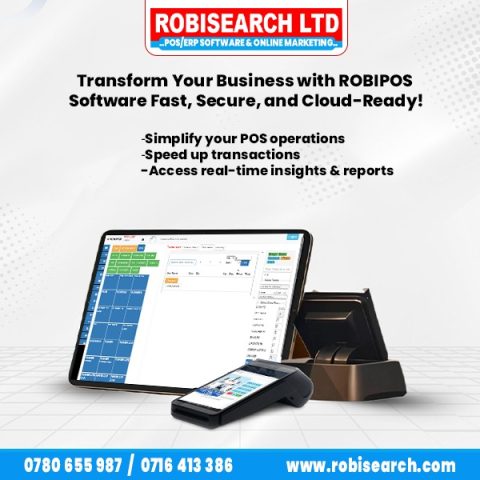
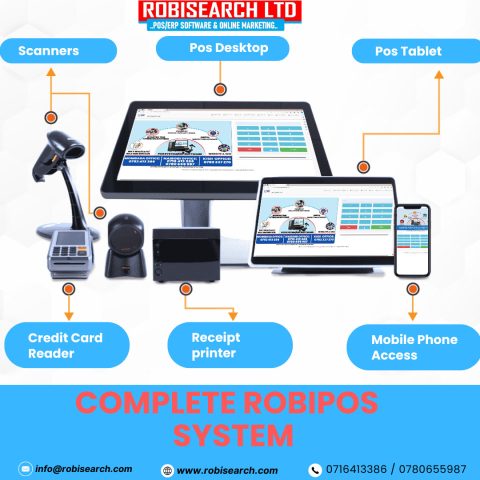
robipos poster and features

upgrade your business with RobiPOS


1. The Power of Omniscience: (Real-Time Analytics)

Imagine being able to see everything happening in your business at once. One of the biggest hurdles to business growth is making decisions based on guesswork.

RobiPOS provides deep, real-time analytics that show you exactly what is selling and what isn’t. Because you have access to instant sales reports and profit margins, you can double down on your winners and cut your losers before they drain your budget. listen to how Robipos made a change:https://youtu.be/cYOBMKxNlyo?si=ZeiOwQkmm3CrX56s

real-time data analytics

get to understand your business trends anytime

2. Telepathy with Your (Customers: CRM Integration)

True business growth happens when one-time shoppers become lifelong fans. RobiPOS gives you the “superpower” of knowing your customers’ preferences through integrated Customer Relationship Management (CRM) tools.

By tracking purchase history and contact details, you can:

  • Send personalized discounts.

  • Run loyalty programs that actually work.

  • Identify your “VIP” shoppers and reward them.

  • learn more about crm: https://youtu.be/y2GwOFYI7-U?si=jyqjQ_tt5NtjZF4r
crm

what is crm integration can create can do to your business

3. Shape-Shifting (Inventory Management)

Inventory can be a villain if it’s not managed correctly. Too much stock ties up your cash; too little results in lost sales. RobiPOS offers automated inventory tracking that “shape-shifts” to fit your needs.

It alerts you when stock is low and automates reordering processes. Consequently, your shelves are always perfectly balanced, which is a vital component of sustainable business growth.

inventory management

inventory management is a very crucial feature in robipos

4. Speed of Light (Seamless Transactions)

Nothing kills a sale faster than a long, clunky checkout process. To ensure consistent business growth, you need a system that is fast, intuitive, and reliable.

RobiPOS is built for speed. Whether you are processing mobile payments, credit cards, or cash, the interface is so smooth that your staff can fly through transactions. This not only keeps customers happy but also increases your daily “table turn” or customer volume.

sales tracking


Why RobiPOS is the Ultimate Sidekick

While there are many tools on the market, RobiPOS stands out because it combines all these superpowers into one easy-to-use platform. Instead of struggling with five different apps, you have one central “command center” that handles the heavy lifting for you. get to see what RobiPOS features: https://robisearch.com/pos-modules/

Key Takeaway: Success isn’t about working harder; it’s about working smarter with the right technology at your side.


Ready to level up your business?

whatsapp/call us at 0716 413 386/ 0780655987 to start your new business chapter.

Read More
  • Robisearch
  • Website
  • December 17, 2025

10 Tech Trends You Can’t Ignore in 2026

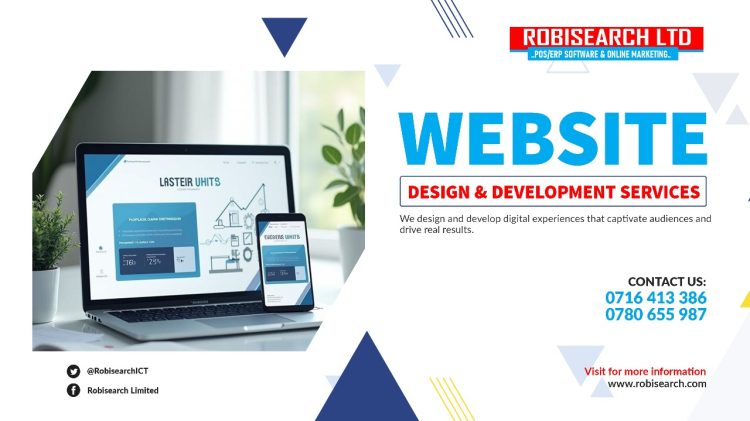
In 2026, a business website is no longer just a “digital brochure.” It’s becoming your most hardworking employee—answering questions, selling products, and keeping your records straight while you sleep.

At Robisearch, we specialize in transforming complex technology into simple tools that help your business grow. Here are the 10 website trends for 2026 that every business owner should know, explained in plain English. https://robisearch.com/webdesign-in-kenya/

webisite

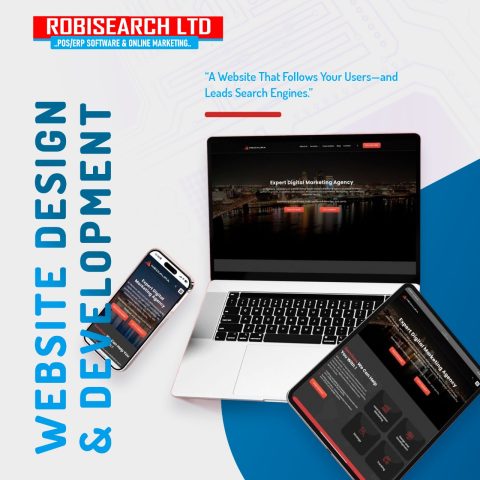
build a unique online presence with robisearch


1. The “Personal Shopper” Experience (AI Personalization)

Imagine a customer walks into your site, and the website already knows if they are a returning regular or a first-time browser. In 2026, websites will automatically change their homepages to show what the visitor is most likely to buy.

Robisearch Tip: We can help you set up systems that “remember” your customers, making them feel seen and valued. https://youtu.be/vnWtebR-Tvc?si=baGJaMR9X4kDLSG7

2. From “Search” to “Conversation” (Voice & Chat)

People are tired of typing into search bars. In 2026, more customers will “talk” to your website using their voice or a smart chat box. It’s not just a robot; it’s a conversational assistant that understands exactly what they need.

3. App-Like Speed (Progressive Web Apps)

Have you ever wished your website worked as fast as an app on a phone? In 2026, the line between a website and an app is disappearing. Your site should load instantly, even if the customer has a weak internet connection.

4. Eco-Friendly Browsing (Sustainable Design)

Heavy images and complex videos use more electricity at data centers. “Green” websites that load quickly and use less energy are becoming a mark of a responsible business. Fast sites aren’t just good for the planet; they are great for Google rankings!

E-comerce website

E-commerce website your online shop

5. Smart Payments (M-Pesa & Beyond)

In 2026, the “Checkout” button needs to be invisible. Customers expect to pay with one click using M-Pesa or their mobile wallets without leaving the page.

Robisearch Link: Our ROBIPOS systems already integrate “Lipa na M-Pesa” directly into your sales flow—we bring that same ease to your website.https://youtu.be/vnWtebR-Tvc?si=baGJaMR9X4kDLSG7

6. Accessibility for Everyone

Your website should be usable by everyone, including people with visual impairments or those who find small text hard to read. Simple things like high-contrast colors and easy-to-click buttons are no longer “extras”—they are essentials.

7. Virtual “Try-On” (Augmented Reality)

If you sell furniture, clothes, or even hardware, customers in 2026 will expect to see how it looks in their home or on their person through their phone camera—right from your website. learn more

8. The “Dark Mode” Standard

Most people browse their phones at night. A website that automatically switches to a dark, eye-friendly theme isn’t just “cool”—it keeps customers on your page longer because it doesn’t strain their eyes.

website

create your best employee with robisearch

9. Hyper-Security (Zero Trust)

With online scams on the rise, customers only buy from sites that feel like a fortress. In 2026, visible trust signals—like secure login areas and clear privacy badges—are what turn a “browser” into a “buyer.” learn morehttps://robisearch.com/webdesign-in-kenya/

10. The Website-Business Connection (ERP Integration)

A website shouldn’t be an island. In 2026, when a customer buys something on your site, your stock levels should update automatically in your shop, and your accountant should see the report instantly.

Robisearch Speciality: We connect your website to our Robisearch ERP software, so your online sales and physical shop work as one single unit.

need a website

call us now and elevate your online presence


Why Choose Robisearch for Your 2026 Website?

At Robisearch, we don’t just build websites; we build growth engines. Whether you need a simple business site or a full E-commerce platform integrated with your POS, we make sure you stay ahead of these trends without the technical headache.

Don’t let your business get left behind in 2025.  The digital world moves fast, but you don’t have to figure it out alone. Let the experts at Robisearch build you a future-ready website that works as hard as you do.

call/whatsapp +254716413386 +254780655987

Email: robisearch@gmail.com

get qoutation https://robisearch.com/quotation/

Read More
  • Raphael Wambui
  • CSR
  • December 16, 2025

Empowering Minds at Kamiti Medium Security Prison

At Robisearch Limited Africa, we’re passionate about giving back and creating opportunities for growth. Recently, we had the incredible opportunity to run a computer and information technology training program at Kamiti Prisons.Robisearch Limited Pos Africa

Over several days, participants learned everything from basic computer skills to practical IT applications. It was inspiring to see how eager everyone was to learn—asking questions, practicing new skills, and really embracing the chance to grow.

We wrapped up the program with a friendly football match on the final day. It was more than just a game—it was a celebration of teamwork, fun, and the spirit of community. The smiles, cheers, and energy on the field made it clear how powerful learning combined with recreation can be.

Our time at Kamiti Prisons reaffirmed our commitment to education, empowerment, and positive community impact. We believe that giving people the tools to learn and grow can open doors, inspire confidence, and create brighter futures.

We’re proud to continue initiatives like this, bringing knowledge, joy, and opportunity wherever we can.Robisearch Limited Pos Africa

Read More
  • Robisearch
  • Advanced Analytics
  • December 16, 2025

6 Features of a Powerful Human Resource System

6 Features of a Powerful Human Resource System

Managing a team can be a complex task. However, a modern Human Resource System (HRMS) makes it much simpler. By using the right software, you can automate boring tasks and focus on your people.

Below, we explore the six essential features that every HR system should have to help your business grow. click here to know more https://robisearch.com/blog-3/

hr and payroll management


1. Centralized Employee Database

First and foremost, every HR system needs a central place to store information. In the past, companies used paper files or messy spreadsheets. In contrast, a modern system keeps everything in one secure cloud.https://youtu.be/t_0w0Numq4U?si=JmvWPJY2RJRbrnXm

  • Personal Data: You can store contact details and IDs safely.

  • Work History: Furthermore, you can track every promotion or role change in one click.

  • Self-Service: Consequently, employees can update their own info, which saves the HR team a lot of time.

hr software

human software employee dashboard

2. Automated Attendance and Leave

Tracking time is often a headache for managers. Luckily, an HRMS automates this entire process.https://youtu.be/t_0w0Numq4U?si=56S66Cq75K34xO5Q

Specifically, the system tracks when people start and finish work. If an employee wants a vacation, they simply submit a digital request. Afterward, the manager gets a notification to approve it. Because the system calculates balances automatically, there are never any arguments about how many days are left.

hr software management

biometric sysem intergrated with the hr software

hr software management

leave mangement dashboard

3. Payroll Management and Tax Compliance

Payroll is perhaps the most critical part of HR. Therefore, your system must be 100% accurate.https://youtu.be/J8Tp047s1_U?si=A88elp60NIjRrkKx

A good HR module calculates salaries, bonuses, and deductions automatically. In addition, it handles tax compliance. This means the software stays updated with the latest government laws. As a result, you avoid expensive legal mistakes and ensure everyone is paid on time.

hr software management

4. Recruitment and Easy Onboarding

Finding the right talent is hard. However, the recruitment feature makes it much smoother.

This tool helps you post jobs and track applicants in a pipeline. Once you find the perfect candidate, the onboarding feature takes over. It sends digital “Welcome Packs” and contracts to the new hire. Consequently, the new employee feels supported even before their first day.

hr software management

5. Performance and KPI Tracking

Healthy companies need regular feedback. Instead of waiting for a yearly review, an HRMS allows for constant tracking.

You can set Key Performance Indicators (KPIs) for every team member. Additionally, the system allows for “360-degree feedback,” where peers can praise each other. Because all this data is saved, performance reviews become fair and based on real facts.

6. Training and Skill Development

Lastly, a great HR system helps your staff learn new skills. This is often called a Learning Management System (LMS).

The software identifies “skill gaps” in your team. Subsequently, it suggests specific courses or videos to help employees improve. By investing in training, you increase employee loyalty and keep your business competitive.


Conclusion

To summarize, an HR system is more than just a tool; it is the heartbeat of a modern company. By using these six features, you can reduce errors and keep your employees happy.

Moreover, when you automate the paperwork, you gain more time to build a great company culture.

Stop struggling with manual HR tasks today. Our advanced HRMS includes all six of these features and more. [Click here to book a free demo] and discover how we can help you automate your payroll and attendance in minutes.

Call/WhatsApp: 0716 413386 | 0780 655987

click here to get a qoutationhttps://robisearch.com/quotation/

Read More
  • Robisearch
  • Uncategorized
  • December 15, 2025

CCTV Secrets: What Your Camera Can Really Do

CCTV Secrets: What Your Camera Can Really Do

CCTV (Closed-Circuit Television) systems are no longer just for recording fuzzy black-and-white footage. The technology has leaped forward, transforming simple cameras into powerful, smart security tools. If you are considering Robisearch CCTV installation for your home or business, you need to know what today’s systems can truly achieve. The key to a successful system is choosing the right cameras, which is a core part of the professional Robisearch CCTV installation process. click here to learn more https://robisearch.com/best-cctv-access-control-security-cameras-installation-and-maintenance/

cctv installation poster

Beyond Basic Recording: Smart Features

For many years, a security camera’s main job was simply to record an event after it happened, offering evidence to the police. However, modern cameras are proactive—they can actively help prevent issues. This level of comprehensive security is a hallmark of the Robisearch CCTV installation services.

  • Real-Time Alerts, Not Just Footage (Dome & Bullet Cameras): Today’s most common cameras, the Dome Camera (discreet, often indoors) and the Bullet Camera (visible, long-range, often outdoors), feature advanced motion detection. For instance, instead of recording everything, a smart camera set up by your Robisearch CCTV installation team can be set to only start recording and send a notification to your phone when it sees a person, not just a tree swaying in the wind. This means fewer false alarms and more focus on what really matters.

  • Seeing in the Dark (Day/Night & Infrared Cameras): Forget grainy night vision. Many modern cameras, used in a quality Robisearch CCTV installation, use powerful infrared (IR) or “Starlight” technology to capture clear, detailed images even in near-total darkness. Therefore, you get crystal-clear footage, making it easy to identify faces or license plates, even at 3 AM.

  • Audio Power (IP Cameras): Believe it or not, modern IP Cameras (Internet Protocol Cameras) often include a built-in microphone for audio recording and some even offer two-way communication. Consequently, with a complete Robisearch CCTV installation, you can use your phone to speak through the camera to an uninvited visitor or a delivery person at your door. see how our technicians installing a cctv https://youtu.be/hfgpBAayBNI?si=4S3Yj9WmOU2sdj1g

Real Examples: It’s Not Science Fiction

These aren’t just features on a spec sheet; they are changing how we handle security every day. Robisearch CCTV installation focuses on delivering these practical, real-world benefits using the ideal camera type for the job.

  • PTZ Camera

    The Smart Home Alert (PTZ Camera):

    Example 1: The Smart Home Alert (PTZ Camera): Imagine you’re on holiday. A powerful PTZ (Pan-Tilt-Zoom) Camera installed during your Robisearch CCTV installation spots a stranger loitering near your back gate. It uses Behavioral Analysis to recognize the unusual activity. Instead of waiting for a break-in, the system instantly sends you an alert. You check the live feed on your phone, and because the PTZ Camera can be controlled remotely, you can zoom right in to confirm the threat, and then use the two-way audio to say, “The police are on their way.” This simple action often acts as a massive deterrent. click to see how to protect your home https://youtu.be/6pd5Du3KEBc?si=xIYt9qnPXJK2syXp

  • Example 2: Protecting Your Business (ANPR Camera): https://youtu.be/yeJrdgFBImc?si=i-2Hyp0E45MYWF1OFor a commercial property, a specialized camera called the Automatic Number Plate Recognition (ANPR) Camera is incredibly powerful. Specifically, an ANPR Camera installed during your Robisearch CCTV installation at a company gate can read license plates and only open the boom gate for vehicles that are pre-approved, automatically logging the time of entry and exit. This streamlines operations and boosts security.


ANPR Camera

Protecting Your Business (ANPR Camera)

  • Example 3: Workplace Monitoring (Fisheye Camera): In a large open-plan office or warehouse, a Fisheye Camera can capture a complete 360-degree panoramic view from a single mounting point. In other words, one camera, expertly placed by Robisearch CCTV installation professionals, can cover an entire area, reducing the number of devices needed while monitoring for things like line crossing or object classification, dramatically improving safety and accountability across the whole space.

Fisheye Camera

a complete 360-degree panoramic view from a single mounting point.

Why Professional Installation is Key

While the technology is smart, getting the most out of it relies on correct setup. A clear, high-resolution camera is useless if it’s pointing in the wrong direction or configured incorrectly.

why you need cctv system

This is where expert services like Robisearch come in. A professional Robisearch CCTV installation service ensures that your system is designed specifically for your property, maximizing coverage, minimizing blind spots, and correctly setting up all those smart features mentioned above. The expertise of the Robisearch CCTV installation team handles the complex parts—like running the cables and configuring the remote access—so you can enjoy the peace of mind. To summarize, choosing Robisearch CCTV installation is choosing advanced, reliable, and expertly fitted security that truly works for you.


Ready to discover the perfect modern security solution for your needs?

call/whatsapp: 0780655987 0716413386

email us at robisearch.com

to get a qoutation: https://robisearch.com/quotation/

Read More
  • Robisearch
  • customer feedback software
  • December 13, 2025

Stop Guessing, Start Growing: Why Every Business Needs Robisearch Customer Feedback Software Today

Stop Guessing, Start Growing: Why Every Business Needs Robisearch Customer Feedback Software Today

To the smart business owner: you’re constantly looking for an advantage. You need to know what to fix and what to promote. You also need to know what your customers secretly wish you would do. Relying on casual conversations or old paper surveys is slow and risky.

In today’s competitive environment, having a digital tool is essential. This tool must instantly capture and organize customer opinions. That tool is the foundation for making better, faster decisions. That tool is Robisearch Customer Feedback Software.

customer feedback software

customer feedback software


 Silent Customers are Expensive Customers

Think about an e-commerce retailer named David. David notices customers are filling their online shopping carts but leaving before checkout. He thinks the issue is high shipping costs. Therefore, he spends money offering free shipping. But the cart abandonment rate barely changes.

The Reality? If David had used Robisearch Customer Feedback Software (via a simple website widget), he would have seen consistent comments. These comments would have mentioned that the payment page was freezing on mobile phones. The problem wasn’t shipping cost—it was a technical glitch. Robisearch replaces David’s expensive guess with a simple, quick fix.

Consequently, every minute you spend guessing is a minute your customers spend looking at your competition.


Three Ways Robisearch Customer Feedback Software Drives Smarter Growth

Robisearch is designed to be a clear, simple way to collect and act on feedback. It helps all businesses—from retail stores to large corporate offices—to succeed.

1. Close the Loop and Build True Loyalty (Fast)

Losing a customer is easy; winning them back is difficult. Robisearch helps you stop a bad experience immediately. It turns a complaint into a success story before the customer writes a public review.

    • How Robisearch Works: The platform captures feedback across many channels. These include QR codes on receipts, SMS, and website forms. Most importantly, it instantly sends an alert when a customer posts a complaint.

    • A Retail Example: A customer at a supermarket uses a QR code on their receipt to report a poor experience with a cashier. Robisearch Customer Feedback Software instantly categorizes this as a ‘Staff Complaint’. Then, it sends a notification directly to the Branch Manager. The manager contacts the customer immediately, apologizes, and offers a voucher.

    • The Result: You don’t just solve the customer’s problem; you show them they are valued. This process is called closing the feedback loop. It turns potential critics into loyal customers and protects your brand reputation.

Getty Images

2. Spot Trends to Drive Smarter Product and Service Upgrades

A suggestion from one person is helpful, but seeing a trend from 50 or 100 people is huge. That trend is your next big business opportunity. Thankfully, Robisearch organizes this crucial data for you.

  • How Robisearch Works: The system uses Smart Categorization to sort all comments and form responses instantly. It automatically puts them into groups like “Product Bug,” “Feature Suggestion,” or “Pricing Issue.”

  • A Corporate Office Example: A service company receives hundreds of anonymous comments through their internal Robisearch ‘Digital Suggestion Box.’ The real-time dashboard quickly highlights a recurring theme: “Lack of parking for visitors.” This was a consistent, hidden issue affecting client meetings. Therefore, the management quickly leases two extra parking spots nearby.

  • The Result: You stop building features based on personal hunches. Instead, you start investing in areas your customers have proven will deliver the highest return.

3. Get the Honest, Unfiltered Truth (Anonymous Mode)

Sometimes, people are too shy or polite to tell you the real issue face-to-face. However, that honest, anonymous feedback is often the most valuable.

  • The Robisearch Advantage: The platform includes an Anonymous Feedback Option. This is especially useful for sensitive topics or when asking for feedback on staff performance.

  • A Training & Education Example: A college uses the Robisearch platform to collect feedback from students. Because their names are not attached, students feel safe reporting issues. For example, they might report broken equipment in a lab or a specific classroom being too hot.

  • The Result: By providing a safe space for comments, you gain access to the unfiltered reality of your business. This allows you to address core issues that would otherwise stay hidden and silently reduce customer satisfaction over time.


 Your Next Step: Making the Transition Effortless

Switching to a digital solution is simple with Robisearch. It’s built to be user-friendly. Furthermore, it integrates easily into your current operations, giving you:

  • Real-Time Data: No more waiting for monthly reports; you see feedback the moment it is posted.

  • Multi-Channel Collection: Collect opinions via SMS, QR codes, website widgets, and more. This ensures you reach all your customers.

  • Actionable Reports: Simple dashboards clearly show you the biggest problems and opportunities right now.

In summary, success today isn’t about working harder; it’s about working smarter. Robisearch Customer Feedback Software gives you the intelligence to know exactly what your customers want. This empowers you to fix issues, drive innovation, and outpace the competition.

customer feedback software


🚀 Stop Guessing. Start Growing Today!

Ready to turn anonymous comments into actionable fixes? See for yourself how fast and easy it is to manage customer insights.

Click here to request a free,https://robisearch.com/quotation/ personalized demo of Robisearch Customer Feedback Software.

Read More
  • Robisearch
  • biometric time attendance
  • December 11, 2025

Inside the Workplace Biometric System: Step-by-Step How It Works

Biometric systems—using fingerprints, faces, or even irises—are now common in modern workplaces for security and time tracking. They replace old key cards and password logins, offering a faster and far more secure solution.

But how does placing your finger on a sensor actually verify who you are?

It’s not magic; it’s a quick, two-phase process that turns your unique physical traits into a secure, digital identity. see what a biometric system entails https://youtube.com/shorts/JD9yLZ-NQXs?si=qUoGRVTF3qLq8qXw

time biometric sysem

face and finger print biometric

Phase 1: Enrollment (The One-Time Setup)

This is the initial step where you register yourself with the system.

Step 1: The Scan (Data Capture)

You interact with the device for the first time. You might place your finger on the sensor, or look at the facial recognition camera. The device captures a raw, digital image of your unique feature.

Step 2: Template Creation (The Secure Code)

The system instantly measures the unique characteristics of that image (like the distance between points on your face or the points where your fingerprint ridges end). It then converts these measurements into a unique, encrypted mathematical code called a template.

Crucial Detail: The system never stores the raw picture of your face or finger. It only stores this non-reversible, secure mathematical code.

time biometric system

best for offices and schools

Step 3: Secure Storage

This encrypted template is stored on the central server, linked to your employee ID. This code is the baseline the system will use for all future comparisons.


Phase 2: Verification (The Daily Clock-In/Access)

This is the quick process that happens every time you clock in for work or try to enter a restricted area.

Step 4: Live Scan

When you arrive, you interact with the scanner again (e.g., placing your finger or looking at the camera). The device captures a fresh, live scan.

Step 5: Real-Time Comparison

The system immediately converts this new live scan into a temporary mathematical code. It then compares this new code to the original, securely stored template (from Step 3).

Step 6: Access Granted or Denied

If the two codes match within a high degree of similarity, the system verifies your identity and takes the programmed action:

  • Time Tracking: It logs your accurate clock-in time.

  • Access Control: It unlocks the door or barrier.

If there is no match, access is denied, protecting the workplace against unauthorized entry and “buddy punching” (where one employee clocks in for another). visit our website https://robisearch.com/biometric-time-attendance/

time biometric sysem

increase employee productivity


3 Must-Know Biometric Features

A good workplace system must have these features to be effective:

  • Speed: Verification must be nearly instant (under one second) to prevent lines and slowdowns.

  • Anti-Spoofing: The system must check for liveness (e.g., body heat or subtle movement) to prevent fraud using photos, molds, or other non-live objects.

  • Data Safety: The use of mathematical templates (instead of images) ensures that even if the system is compromised, the sensitive biometric data cannot be stolen or misused. click to understand more https://youtu.be/RmLYjQztSoE?si=oJNiFdjzBQjOlFFM

    time biometric sysem

    the best biometric system

Conclusion

The power of the workplace biometric system lies in its simplicity and security. By quickly converting unique human traits into irreversible mathematical codes, these systems eliminate the common flaws of keys, cards, and passwords. They deliver instant verification, eliminate fraud like “buddy punching,” and provide an accurate, tamper-proof audit log for all access and time tracking. The result is a workplace that is safer, more efficient, and fully prepared for the digital future.

Stop relying on easily compromised passwords and key cards. Implement a modern biometric solution to guarantee accurate time logs, eliminate buddy punching, and ensure only authorized personnel gain entry.

call/whatsapp +254716413386 +254780655987

email robisearch@gmail.com

to get qoutation https://robisearch.com/quotation/

Read More
  • Robisearch
  • digital visitor book, Security
  • December 10, 2025

How To Speed Up Visitor Registration and Eliminate Reception Queues

How To Speed Up Visitor Registration and Eliminate Reception Queues

If you still rely on a paper visitor book, you’re likely familiar with the bottleneck it creates. A single visitor fumbling for a pen, struggling to read fine print, or taking five minutes to fill out a lengthy form can halt your entire reception area. In today’s fast-paced world, a slow, manual sign-in process looks unprofessional and, more importantly, creates queues.

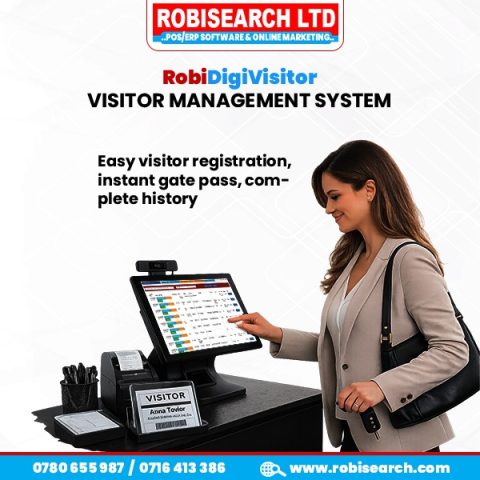
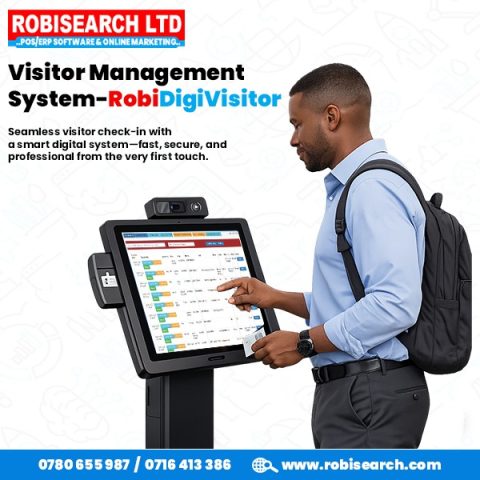
The key to a faster, smoother experience is implementing a modern digital checkin system. This guide reveals how the right platform—specifically the RobiDigi Visitor Book—can transform your lobby from a logjam to a launchpad. learn more on robidigivisitor bookhttps://robisearch.com/robidigivisitor-visitor-management-system/

robidigivisitor book

robisearch visitor management software


1. Eliminate Queues Before They Start with Digital Checkin Pre-Registration

The simplest way to speed up visitor registration is to move the process off-site. Your visitors should arrive ready to go, not ready to write.

RobiDigi Visitor Book excels here by incorporating robust pre-registration tools:

  • Host Invitation: When an employee schedules a meeting, RobiDigi automatically sends the visitor an email invitation containing a secure link.

  • Remote Data Capture: The visitor uses the link to enter all necessary information (name, company, vehicle details, etc.) on their phone or computer before they even leave for your office.

  • The Instant QR Pass: Once pre-registered, the visitor receives a unique QR code.

When they arrive, they bypass the manual entry entirely. They simply walk up to the lobby tablet and scan their QR code. The RobiDigi Visitor Book instantly verifies their identity, prints any required badge, and timestamps their entry. The result? A paperless check-in that takes mere seconds, effectively eliminating the queue before it even forms. click here to see more https://youtu.be/YjR7VFw2aKM?si=WqjqIT2q2mObrJDi

robidigivisitor

say goodbye to long queues with robidigivisitor book


2. Streamlining The In-Lobby Experience with Your Digital Visitor Log

Even for unscheduled or returning guests, a dedicated digital checkin system vastly outperforms a paper log. Paper requires a visitor to manually rewrite their details every single time, leading to wasted minutes and transcription errors.

With RobiDigi, the on-site process is optimized for speed:

  • Auto-Fill for Returning Guests: The RobiDigi Visitor Book remembers previous visitors. When a familiar face types in the first few letters of their name, the system instantly suggests a match and auto-fills their remaining details, requiring only a final tap to confirm.

  • Customizable Forms: Need less information for a quick delivery driver versus a new client? You can customize forms to ensure visitors only spend time filling out truly essential fields, keeping the process lean and fast.

  • E-Signature Speed: All necessary documents, like NDAs or safety waivers, are handled via speedy e-signature on the tablet, eliminating the need to wait for printing, signing, and filing physical forms.

By leveraging smart, data-driven forms, the process becomes intuitive and swift, transforming the traditional slow sign-in into a rapid, pleasant experience. https://robisearch.com/13345-2/

robidigivisitor book

robidigivisitor book installed at Thika sports club


3. How RobiDigi Visitor Management Delivers Instant Host Alerts

Speeding up the check-in is only half the battle. The other major cause of reception queues is the delay between a visitor signing in and their host being notified and arriving to greet them.

The RobiDigi Visitor Management system solves this communication bottleneck instantly:

  • Automated Notification: The moment the visitor presses “Check In,” RobiDigi automatically notifies the host via their preferred channel—be it an email, SMS text message, or an alert on internal communication platforms like Slack or Microsoft Teams.

  • Eliminating the Middleman: There is no waiting for a busy receptionist to finish a phone call or walk across the office to relay a message. The system acts as a direct, instant line of communication.

By eliminating manual host calls, RobiDigi dramatically cuts the visitor’s waiting time—often reducing it from 5-10 minutes (the standard paper-and-phone delay) to under one minute. This drastically improves the visitor experience and keeps your lobby clear. https://robisearch.com/visitor-management-system-smart-check-ins-with-robidigivisitor/

robidigivisitor vook

outomate your checkin desk with robidigivisitor book


The RobiDigi Advantage: Beyond Just Speed

Switching to a digital checkin system is the single most effective way to eliminate reception queues and ensure a seamless flow of traffic. RobiDigi Visitor Book delivers on this promise by optimizing every stage of the journey—from pre-registration to instant host notification.

But the benefits don’t stop at speed. By deploying this robust visitor registration software, you also instantly enhance:

  • Security: Know exactly who is on-site at all times.

  • Compliance: Maintain clean, tamper-proof audit trails for all visits.

  • Professional Image: Impress guests with a sleek, modern, and efficient first impression.

Ready to transform your front desk?

Don’t let a slow sign-in ruin your first impression. Let us show you how quickly you can implement the RobiDigi Digital Checkin system and free up your front desk staff. Stop managing paper and start managing visitors efficiently.

Call/WhatsApp 0716 413386 | 0780 655987 or get a quotation today.

Read More

Search for Posts:

Recent Posts

  • Boost Engagement & Communication with Bulk SMS & WhatsApp Marketing
  • (no title)
  • (no title)
  • How ROBIPOS Systems Track Products with Serial Numbers
  • Why Customer Feedback and Engagement Matter for Business Growth.

Our Services:

  • Bulk sms
  • Biometric Time – Attendance
  • Customer Feedback Platform
  • Property Management System
  • Customer Feedback
  • Web Design and Development
  • Digital Marketing
  • Digital Visitors Book

Previous Posts:

Posts navigation

« 1 2 3 … 64 »

Visitors

Today: 63

Yesterday: 798

This Week: 19642

This Month: 76440

Total: 829350

Currently Online: 114

Our Contacts

  • Suraj Plaza 5th floor, opposite Jamhuri High School in Ngara Nairobi | Umoja Complex - Family Bank Plaza, 2nd Floor, Kisii | The NSSF Building ,5th flr Mombasa | Mabirizi Complex , Level 4 Room L4-17 Kampala
  • Phone:(+254716413386, +254780655987) Nairobi , (+254736413386) Kisii ,(+254752413386) Mombasa , (+256747048222) Kampala
  • E-mail: info@robisearch.com, robisearch@gmail.com

Our Services

  • Bulk sms
  • Biometric Time – Attendance
  • Customer Feedback Platform
  • Property Management System
  • Customer Feedback
  • Web Design and Development
  • Digital Marketing
  • Digital Visitors Book

OUR PARTNERS

Africa's Talking
JKUAT
Infobip
Advanta
Elimu Tv
Simba Net
Citizen TV
Churchill
Fogo Gaucho
Metropol TV

© 2024 Robisearch . All right reserved.

  • Home
  • Our Contacts
  • POS
  • Bulk Sms
  • Career
Previous Next
Close
Test Caption
Test Description goes like this
Call Now!