
The eatery and fast food industry is equally demanding just as any other industry that needs to digitally manage their business. In addition, every now and then they will need an updated system to help them efficiently manage their business. They also need a customized system just for them to increase uniformity and scrap the errors. The system should be able to manage their production, delivery and even the sale of their items.
Robisearch ltd has a customized system for eatery owners with various modules to help them run the business well. Among those modules/features are;
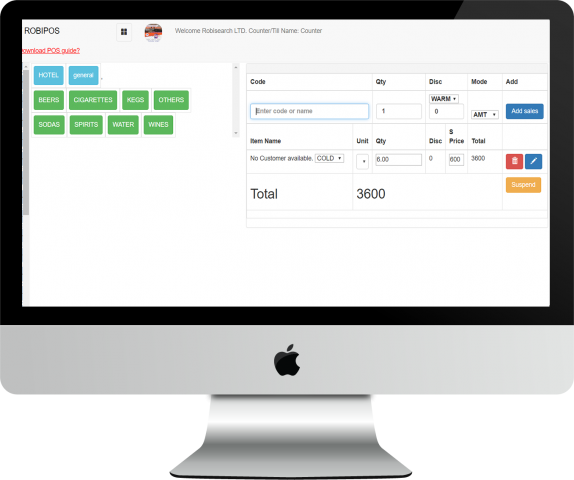
Retails sales module – This is the selling window. Where the cashier is able to generate a receipt for the goods sold.
Cashier sales module – This module is used to view the sales made by the cashiers. You will know which cashier has sold what and at what time.
Record delivery module – This module will help you monitor all the deliveries done to customers. You will be able to view which package of food was delivered to which customer, where and at what time.
Purchases module – This helps in keeping records of the items the business gets from suppliers. You will be able to view what supplies you have enquired for. You will be able to keep records of all the purchases you have made.
Expenses module – This helps in knowing the expenses the business has incurred. Eg transport, payment of staff, maintenance etc
Return/reprint sales module – This helps in viewing the returned goods by the customer.
Category of products module – Helps in sorting products by creating and viewing categories and subcategories of products. This will be the menu. You will create categories and sub categories of the meals here.
Stock list (counter) module – This module helps in adding, viewing, downloading, opening and closing stock.
Products (main store) module – This helps in adding new products to the store and viewing as well.
Dispatched stock list module– This module is used to view the products transferred from the main store to the kitchen.
Issued stock list module – This module helps in viewing products transferred from the main store to personal use by the staff or employees. Also this is where they will note what they took for lunch so that the reports calculate proper expenses at the end of the day.
Low stock list module – This module alerts on the products in the kitchen that have reached their re order level
People/contacts module – This module enables you to add people in the system. For example your suppliers,
User’s module – Used to add and view employees in the business using the system. Here you can give them roles eg who will view the profits made and the progress of the restaurant at large.
Call center module – This is where all the calls received by the business is recorded.
Projects management module – This module helps in following up and handling of a project eg in budgeting or the total items needed for that project.
Loyalty cards modules– This helps in redeeming of customer’s points. You will be to award loyal customers here and give them offers.
Bulk sms module – Helps in sending bulk sms to your customers after grouping. This will give you a good customer service because customers feel close when you keep in touch with them.
Mpesa Integration module – Allows you to receive pop up mpesa messages from the system whenever a customer pays.
Comments/complaints modules – This is especially for employees for airing in their views or complaints about the business.
Accounting module – Helps in adding accounts, creating general ledger accounts and even the payment methods.
Damaged products module – This is where all the damaged products are recorded. For example half a sack of potatoes was damaged, this is where you record them in order to get good reports.
Payroll set up module – This module allocates employee payments and deductions.
Reports – Detailed report: shows details of the product sold eg name, quantity etc
-Summary report: shows the modes of payment for a particular sale and even indicate details of the client if they paid through mpesa.
Display sales report– Enables you to view all sales per cashier within the stated dates.
Branch module – This module is used to add other branches of the business.
Other than these, the system can always be customized to what you, as a client need. Reach Robisearch at www.robisearch.com
Or Call at 0716413 386 or 07806 55987